Setting Up an ADS‑B Flight Tracker with a Cheap Antenna on Kubernetes (RKE2 and ArgoCD)
This is the Kubernetes version of my earlier Docker‑based ADS‑B guide. In this setup, everything is defined in YAML and deployed via ArgoCD, and changes are tracked in Git and synced automatically to the cluster. Access is handled through an NGINX Ingress with TLS from cert‑manager, which is how I publish the ADS‑B UI at adsb.w3rdw.radio. If you’re comfortable editing YAML and committing to Git, you’ll feel right at home.
This guide assumes a USB RTL‑SDR dongle is passed through to a Kubernetes node. You don’t need to be a Kubernetes expert, but you should be comfortable editing YAML and checking pod logs.
To follow along, you can grab my RKE2 Github Project. We will be working in the adsb-stack/ dir.
Workflow (high level):
- Update the ADS‑B YAML (Kustomize, ConfigMap/Secret).
- Commit and push to Git.
- ArgoCD detects the change and syncs it to the cluster.
- Ingress terminates TLS and serves the app.
- Cloudflared publishes the hostname externally.
Prerequisites
Hardware:
- RTL‑SDR USB dongle (recommended below)
- ADS-B antenna (recommended below)
- Optional SMA extension cable
Software/cluster:
- RKE2 cluster with at least one Linux worker node
- USB pass‑through to a worker node
- ingress-nginx installed
- cert-manager installed (for TLS)
- ArgoCD installed
- SOPS + KSOPS for encrypted secrets (or use plain ConfigMap/Secret)
Recommended antenna/parts:
- RTL SDR (Kit)
- RTL SDR USB Dongle (Standalone)
- Optional SMA Extension Cable
- Recommended ADS-B Antenna
Step 1: Hardware Setup
- Connect your ADS‑B antenna and any SMA extensions.
- Plug the RTL‑SDR into your server.
- Ensure the device is visible on the node that will run ADS‑B.
This stack mounts /dev/bus/usb from the host into the pod, so USB must be on a node you can target with nodeSelector.
Step 2: Review the Kubernetes Stack Layout
The ADS‑B stack lives here:
- adsb-stack/ultrafeeder/ The main receiver, which also serves the web UI (tar1090) and readsb data.
- adsb-stack/fr24/ Flightradar24 feeder, using the ultrafeeder’s Beast data.
The root kustomization at adsb-stack/kustomization.yaml includes both:
resources:
- fr24
- ultrafeeder
Step 3: Set Your Location and Device Settings
These live in the SOPS‑encrypted config files:
The unencrypted template is here:
Set these values:
FEEDER_TZ: "America/New_York"
ADSB_SDR_SERIAL: "00000002"
ADSB_SDR_PPM: "001"
FEEDER_LAT: "YOURLAT_HERE"
FEEDER_LONG: "-YOURLONG_HERE"
FEEDER_ALT_M: "ALTITUDE_METERS"
FEEDER_ALT_FT: "ALTITUDE_FT"
FEEDER_NAME: "W3RDW.RADIO"
And set your FR24 key in the SOPS secret:
FR24_SHARING_KEY: "<your_fr24_key>"
If you don’t want SOPS, you can use a plain ConfigMap/Secret, but then update adsb-stack/fr24/kustomization.yaml to include them and remove the KSOPS generator. It goes without saying, but don’t commit your config to Github if you’re not encrypting the secrets with SOPS or another tool.
Step 4: Update the Node Selector for USB
The ultrafeeder deployment pins to a specific node:
Look for:
nodeSelector:
  kubernetes.io/hostname: rke2-node-14
Change that to the node with your USB dongle.
This deployment also uses:
  - privileged: true
  - hostPath to /dev/bus/usb
That’s required for RTL‑SDR access.
Step 5: Enable Persistent Volumes (Optional, Recommended)
The stack includes PVCs for RRD/autogain/history:
- adsb-stack/ultrafeeder/readsbpb-rrd-pvc.yaml
- adsb-stack/ultrafeeder/readsbpb-autogain-pvc.yaml
- adsb-stack/ultrafeeder/ultrafeeder-pvc.yaml
Enable them in:
- adsb-stack/ultrafeeder/kustomization.yaml
Uncomment:
- ultrafeeder-pvc.yaml
- readsbpb-autogain-pvc.yaml
- readsbpb-rrd-pvc.yaml
This assumes longhorn is your storage class. If you’re using another storage class, make the modifications necessary.
Step 6: Ingress (TLS + DNS)
I use the following two ingresses:
- ADS-B web UI: adsb.w3rdw.radio adsb-stack/ultrafeeder/ultrafeeder-ingress.yaml
- FR24 UI (optional): fr24.w3rdw.radio adsb-stack/fr24/fr24-ingress.yaml
Both use cert‑manager and nginx ingress, although FR24 is behind an Authentik proxy. Make sure DNS records point to your ingress controller and cert‑manager has a working letsencrypt-dns issuer.
Step 7: Deploy via ArgoCD
This repo already includes an ArgoCD app definition:
It points ArgoCD at the ADS-B-stack path and auto‑syncs:
path: adsb-stack
destination:
  namespace: adsb
syncPolicy:
  automated:
    prune: true
    selfHeal: true
Once committed to Git, ArgoCD will deploy it automatically. No kubectl apply needed.
Step 8: Access the UI
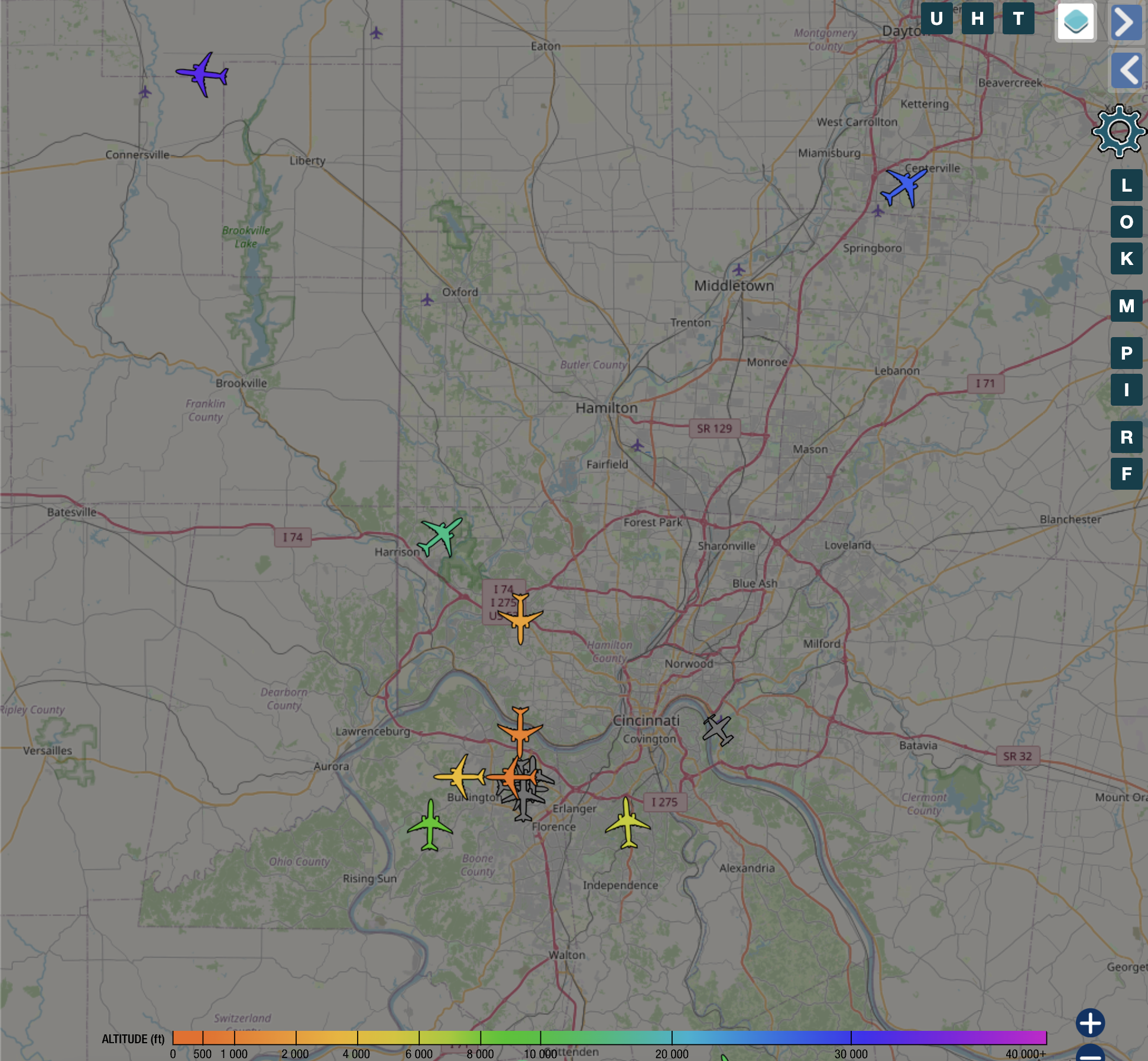
Once synced, the web UI should be available at:
If you enabled FR24 ingress and authentik proxy:
Conclusion
Congratulations! You’ve successfully set up an ADS-B flight tracker using a cheap antenna and Kubernetes. With this setup, you have created a powerful tool to track flights and contribute valuable data to the global ADS-B network.This Kubernetes version replaces Docker Compose with a Git‑driven workflow. Configuration lives in SOPS‑encrypted YAML, the stack is applied by ArgoCD, and updates are managed declaratively. It’s the same ADS-B functionality you had before, but with the reliability and repeatability of Kubernetes.
Feel free to customize your setup further, experiment with additional features, and enhance your ADS-B flight tracking experience. Happy flight tracking!
As always, if you have any questions or want to contribute to the above information, feel free to start a Discussion on GitHub, submit a GitHub PR to recommend changes/fixes in the article, or reach out to me directly at [email protected]. Finally, feel free to join my Matrix channel for W3RDW and chat with me there.
Thanks for reading!
73 from Robert, W3RDW